






How it works
From ordering to pickup and return — KEICALL Wi-Fi is easy, even the first time.

Choose a plan
Pick the Wi-Fi plan that fits your stay — or a uSIM if you need a Japanese phone number.
Order online
Just fill in a few details to complete your order.
Pick up
Receive the device at your hotel or by delivery.

Return
When you're done, just send it back by courier. uSIMs don't need to be returned.

How to use the Wi-Fi
Usage differs a little by device, but both work right away with no complex setup.
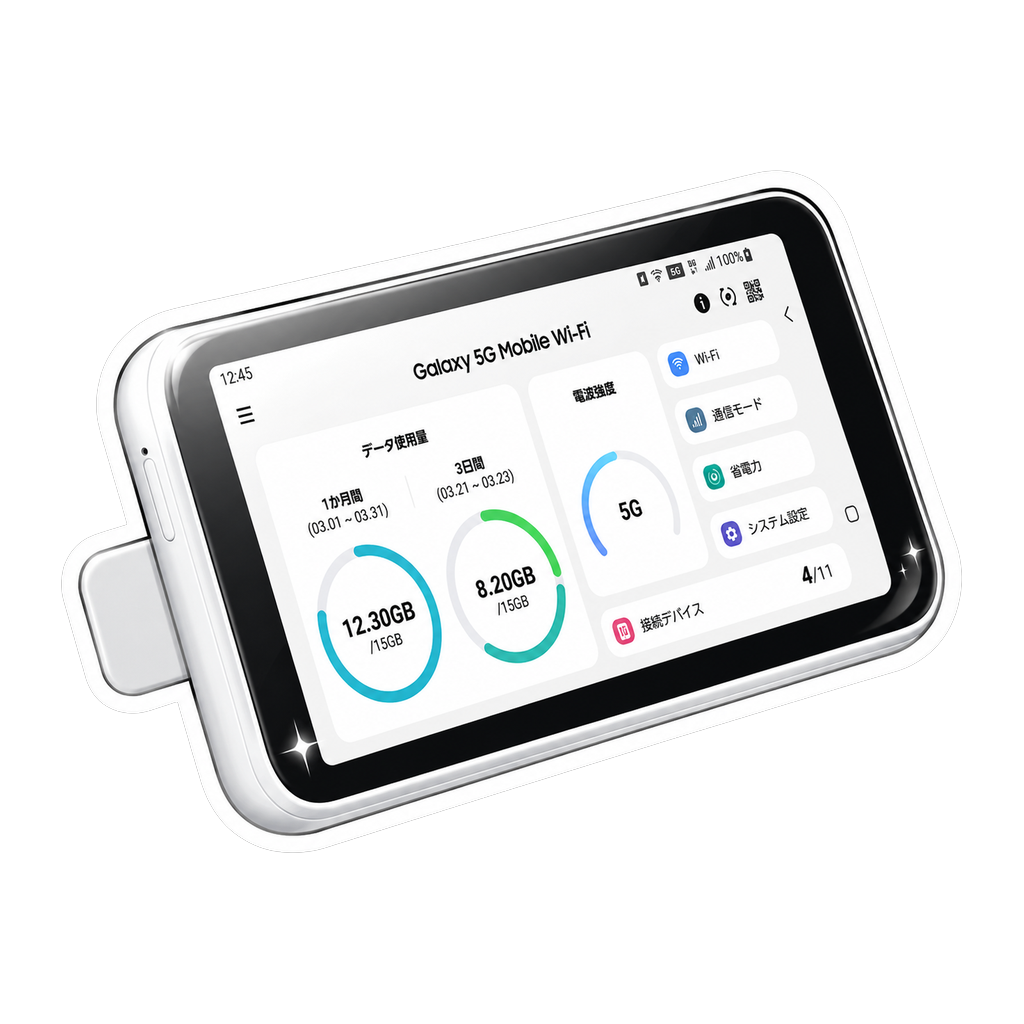
Pocket Wi-Fi
Hold the power button to turn it on and the SSID and password appear on the screen. Select that network on your phone or laptop, enter the password, and you're done. Slip it in your pocket to stay online anywhere, with several devices connected at once.
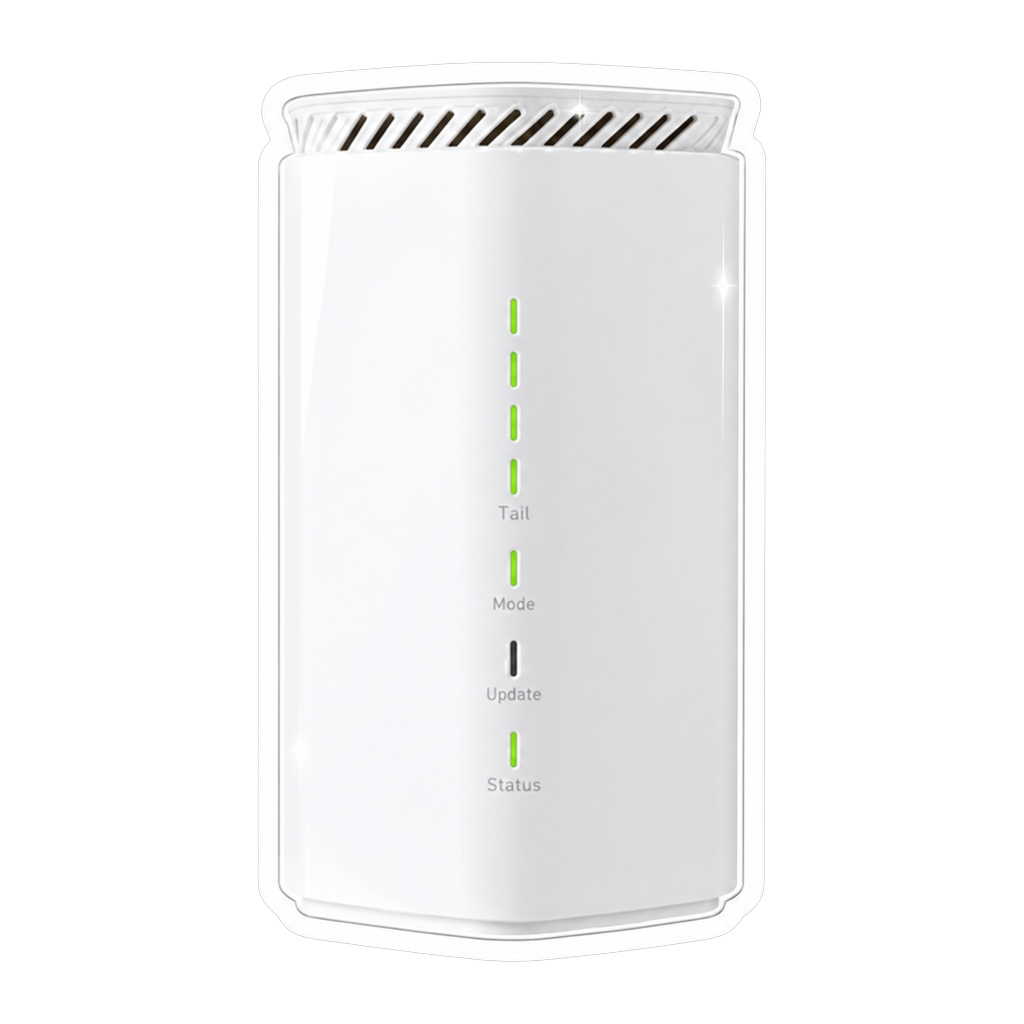
Home Wi-Fi
Just plug the power adapter into an outlet — no installation or line activation needed. Connect using the SSID and password on the device label and you'll have stable home internet right away, even with many devices connected at once.
How to pick up the Wi-Fi
Pick whichever of the three options below suits you best when you order.

Delivery
We ship the device to the home or accommodation address you enter when ordering, timed to arrive by your start date so you can use it right away.
Hotel pickup
Enter your hotel name, address and check-in date and we deliver the device to the front desk. Just collect it at reception after you check in — no extra trips needed.

In-person pickup
Pick it up in person at our Shinjuku office. No address needed — when you visit, our staff will walk you through how to use it. Open 9:00 AM – 5:00 PM.
How to return the Wi-Fi
When you're done, return the device using whichever of the two options below is easiest.
In-person return
Return the device in person at our Shinjuku office. Just drop by during business hours (9:00 AM – 5:00 PM) and hand it to our staff.
Return by mail
Send the device and accessories back by courier. Just ship it by your last day of use.
Using a uSIM
If you need a Japanese phone number for calls and SMS, a uSIM is the answer. Choose from three networks — SoftBank, docomo and Rakuten Mobile — as a monthly subscription, and combine a data size with a call option to land on the plan that fits you.

SoftBank uSIM
- Data
- 50GB · 100GB
- Calls
- Pay-as-you-go calls · Unlimited calls
- Monthly
- ¥6,480〜¥8,980

docomo uSIM
- Data
- 1GB · 5GB · 10GB · 20GB · 30GB
- Calls
- 5-min free calls · 10-min free calls · Unlimited calls
- Monthly
- ¥3,480〜¥9,380

Rakuten uSIM
- Data
- Unlimited
- Calls
- Pay-as-you-go calls · 10-min free calls
- Monthly
- ¥6,280〜¥6,780
From order to activation
Pick your plan
Choose a network, then pick [data size] × [call option] on the plan page and the monthly price is calculated right away.
Residence card check
Upload a photo of your residence card during checkout and it's verified automatically. Japanese regulations require a residence card for a uSIM — a passport cannot be used.
Receive the SIM
Just like the Wi-Fi, choose delivery, hotel or in-person pickup when you order.
Activate
Insert the SIM, follow the setup guide, and you're calling, texting and using data on a Japanese number. If setup gets tricky, our team walks you through activation in your language.
It's a monthly subscription, so there's nothing to return and you can cancel anytime from My Page. Prepay 1–24 months for up to 30% off — prepaid amounts aren't refundable, but you keep full use until the period ends.
Visit our office
This is also where you can pick up your Wi-Fi in person. We welcome any questions, so feel free to drop by anytime.
2-16 Higashi-Gokencho, Shinjuku-ku, Tokyo 1F
TEL 03-4400-9771
Open 9:00 AM – 5:00 PM